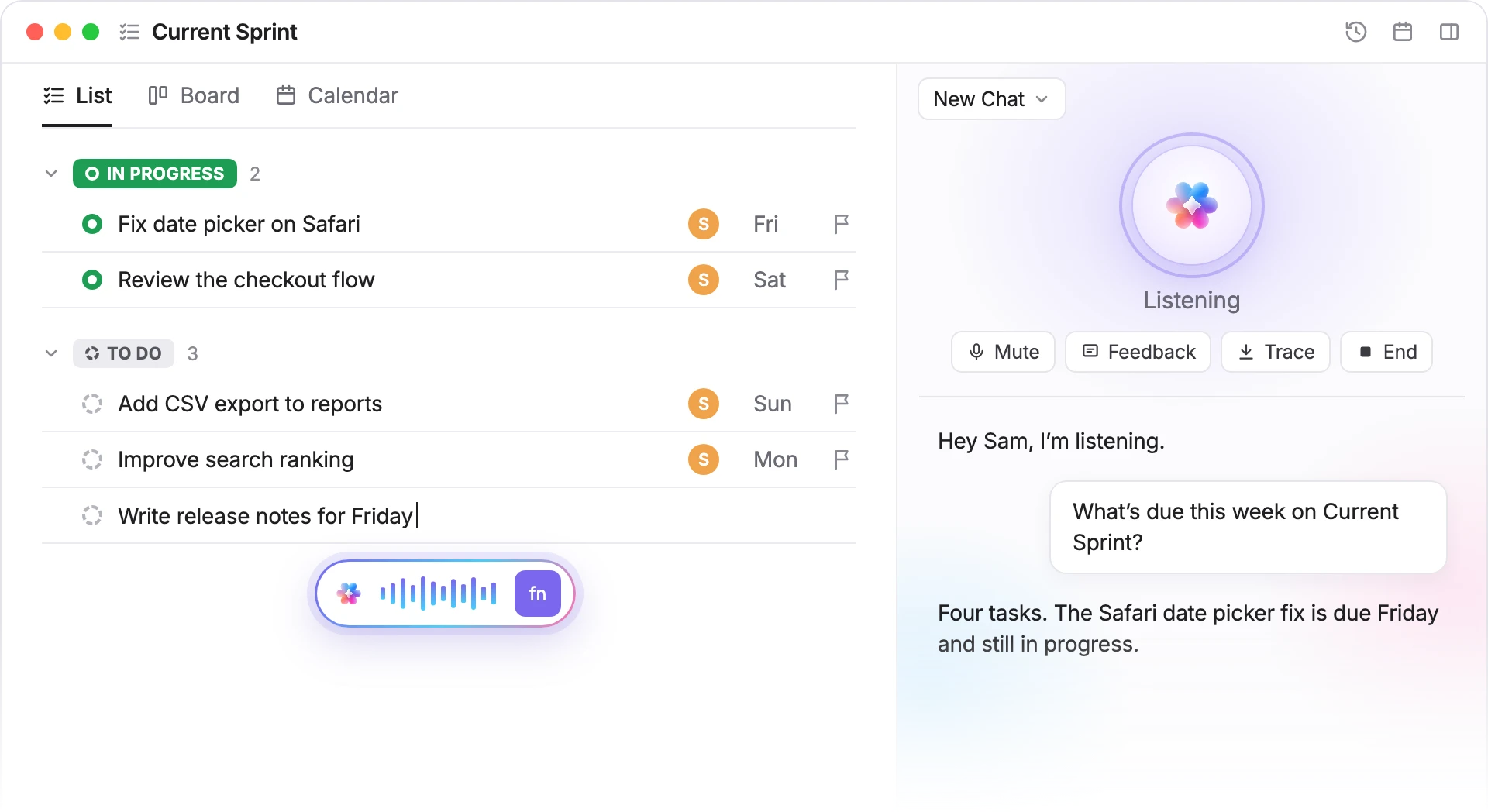
Speak to type in any app, polished as you talk. Or start a call with Brain2 and hear answers from your tasks.
No credit card. Free forever.

25,000+ reviews from
Current Sprint
ListBoardCalendar
IN PROGRESS2
Fix date picker on SafariSFri
Review the checkout flowSSat
TO DO34
Add CSV export to reportsSSun
Improve search rankingSMon
Write release notes for FridaySFri
fn
New Chat
ListeningThinking…Speaking
MuteFeedbackTraceEnd
Hey Sam, I’m listening.What’s due this week on CurrentSprint?Four tasks. The Safari date picker fix is dueFriday and still in progress.
Trusted by the best
Two ways to talk to Brain2
Dictate when you want text. Call when you want an answer.
DICTATE
Write as fast as you talk
In the Brain MAX desktop app, press fn and speak wherever your cursor is: a doc, an email or a chat. Brain2 types it for you.
New message
ToPriya Shah
SubjectClient call
Hi Priya,Let’s move the client call to next Monday at 10. I’ll send anew invite today.
fn
CALL
Call Brain2 and just talk
Click the round Talk with Brain button next to the mic. Brain2 greets you and listens, so you can think out loud between meetings or while your hands are busy.
New Chat
ListeningThinking…Speaking
MuteFeedbackTraceEnd
Hey Sam, I’m listening.Can you draft a short agenda fortomorrow’s stand-up?Sure. Start with the Safari date picker fixand the checkout review, then CSV export.
More ways Brain2 works while you talk
Cleaner text, hands-free mute, answers from your work and a record of every call.
POLISHED
Clean text, not a raw transcript
Brain2 drops the ums, restarts and changed minds as you speak, so what lands on the page reads like you wrote it.
What you said
Umm, so I was thinking, uh,we push the client calltolike, next Tuesday? No, actually,next Monday.
What Brain² typed
Let’s push the client call to next Monday.
SPACE
Mute without breaking your flow
Press Space during a call to mute and unmute your microphone without reaching for the button. Keep your train of thought while someone walks up.
New Chat
ListeningMuted
MuteFeedbackTraceEnd
Hey Sam, I’m listening.Can you draft a short agenda fortomorrow’s stand-up?
Space
GROUNDED
Answers built from your tasks
Brain2 looks things up while it talks. Ask for tomorrow's stand-up agenda and it checks the List you have open, then answers from the work on it.
Current Sprint
IN PROGRESS2
Fix date picker on Safari
Review the checkout flow
TO DO3
Add CSV export to reports
Improve search ranking
Write release notes
ListeningSpeaking
Draft tomorrow’s agenda.Checking Current Sprint…Checked Current SprintStart with the two tasks inprogress: the Safari date pickerfix and the checkout flowreview.
SAVED
Every call becomes a chat
When you hang up, the whole conversation stays in the AI panel as a regular Brain2 chat, so you can read it back or keep going in text.
Stand-up agenda
On a call with Brain²1:58EndVoice call ended, 2 min
Talking with Brain²…
S
Sam8:29 PM
Can you draft a short agenda for tomorrow’sstand-up?
Brain²8:30 PM
Start with the Safari date picker fix and thecheckout flow review, both in progress. ThenCSV export, release notes and blockers.
HOW A CALL WORKS
From a question to an answer in three steps
1. Open the AI panel
Open the AI panel on the right of any page in ClickUp.
2. Click Talk with Brain
It's the round button next to the mic. The mic types what you say; this one starts a call.
3. Ask out loud
Brain2 answers out loud while a live transcript shows both sides. Click End when you're done.
Questions, answered
Two ways to use your voice with Brain2, ClickUp's AI. Dictate to turn what you say into polished text, or start a voice call and Brain2 answers out loud.
Talk to Text is now the dictation half of Talk to Brain². It works the same way: press fn in the Brain MAX desktop app and speak.
Anywhere your cursor is, with the Brain MAX desktop app. Inside ClickUp you can also click the mic in the AI panel to type what you say.
Dictate when you want your own words as text. Start a call when you want Brain2 to look things up and answer you.
Yes. Brain2 can look things up while it talks, like the tasks in the List you have open, and answers from them.
Press Space or click Mute while the call is live, and press Space again to talk. Space works when keyboard shortcuts are turned on in your settings.
The call is saved in the AI panel as a regular Brain2 chat with both sides of the conversation, so you can read it back or keep going in text.
Yes. Talk to Brain2 is part of Brain2, and ClickUp's Free Forever plan includes trial access to Brain2 features, with no credit card needed.